

I don’t know about you, but one of my email services is still, in this day of advanced filtering, frequently inundated with scams.
Mainly for historical reasons I’ve ended up with three primary email accounts. One goes back to the early ’90s, another to the beta release days of Google’s Gmail service, and a third, an Outlook address, is about a decade old.
That ’90s domain address initially belonged to an early Vancouver internet service provider, Internet Portal Services. The company was acquired by another and eventually, several acquisitions down the road, it came under the umbrella of the telecommunications aggregator Uniserve Communications. At one point I was told that just two customers retained their original email address from the Portal Services day. That’s fine with me. I happily pay my $5 a month to keep that address active and use it for a dozen or two emails a day, mostly spam free.
Over time, Gmail, which I began using in September 2004, has become my primary email handler. It is a rare occurrence indeed to see spam or other junk mail in the Gmail environment.
However, with my Outlook account it’s another story. This column publicizes my Outlook address and that makes it a bit more of a target than my others.
Accompanying this piece are images showing what I’ve dubbed the “Microsoft Verify Your Account Scam.” I receive one or two of these a day, some days as many as five. And all appear in my Outlook account. Since the Outlook account isn’t my top email account, I pay little attention to these, but you’d think Microsoft could learn a thing or two from Gmail, where scams and junk mail are so effectively filtered.
This scam is one I actually followed through. It’s pretty basic, from bad grammar to simple structure. What is interesting about this one is that it progresses to a WordPress site, and from there to a Weebly site.
Image 1 shows the actual scam email. There are numerous versions of this, but they all have one thing in common. They invoke a sense of urgency. Act now or your account will be shut down. Verify your account now and all will be fine. Right! Fine for the scammer. This image shows fairly poorly written text, and visually it looks a bit rough as well. That’s because it is an image of text rather than text itself. That’s one way to avoid simple word filters.
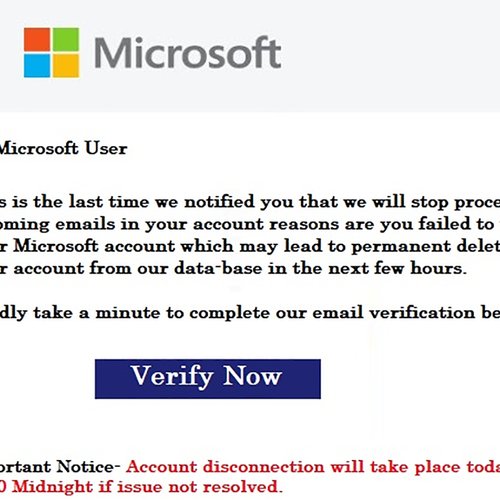
Image 2 shows a somewhat believable screen, operating from a WordPress site, with apparently just one action, an “Activate” button.
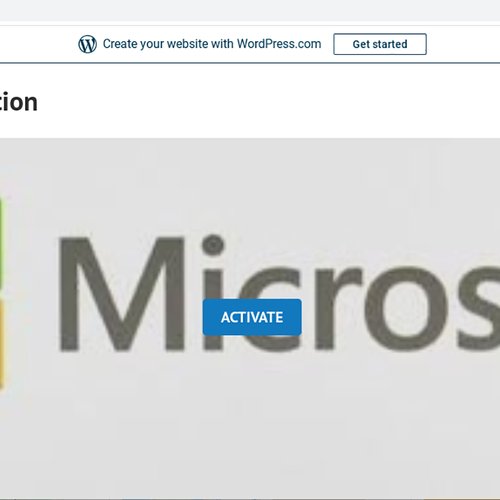
In fact the whole page is an “Activate” button, which does nothing more than take the unwitting person who has fallen into the trap to Image 3.
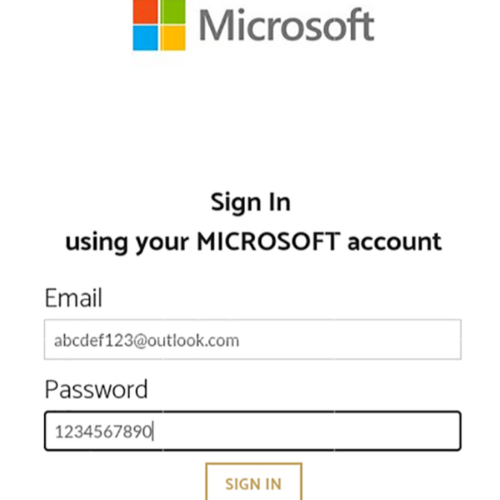
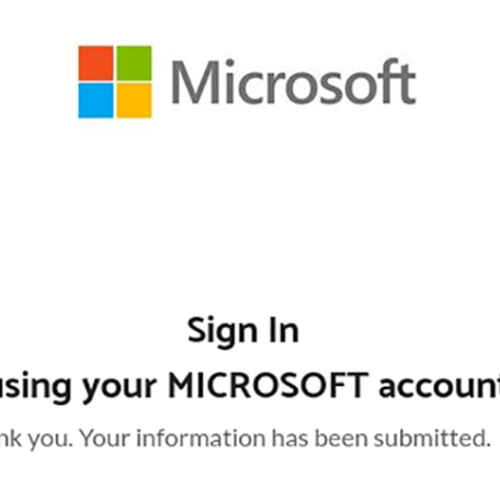
Here is where the damage is done. Hosted on a Weebly page, the dupe is asked to sign in with a Microsoft account. As you can see I’ve obliged the scammer. And the scammer even issues a thank-you message, as shown in Image 4. You can be certain that moments after providing the account login details your password will have been changed, assuming no other protective measures are in place.
The scam seeks nothing more than your email account login information. Of course, with that, considerable damage could be done, depending on what is stored in that email account. If you’ve used your email to communicate with banks, utilities, government agencies, you can well imagine the havoc that could result from your account being taken over by a malicious third party. Identity theft, purchases of gift cards or cryptocurrencies, you name it. There’s no shortage of potential damage.
You’d think Microsoft would know a thing or two about junk, spam, and phishing emails. Especially ones that use Microsoft logos and references to that company’s Outlook email service. Apparently not. I’ve been receiving these, in various forms, for several years now.
Actually, I find them interesting, and I keep a collection of good ones. Hopefully, you, gentle readers of this piece, won’t fall for these sorts of scams.
Follow me on Facebook (facebook.com/PeterVogelCA), on Twitter (@PeterVogel), or on Instagram (@plvogel)