


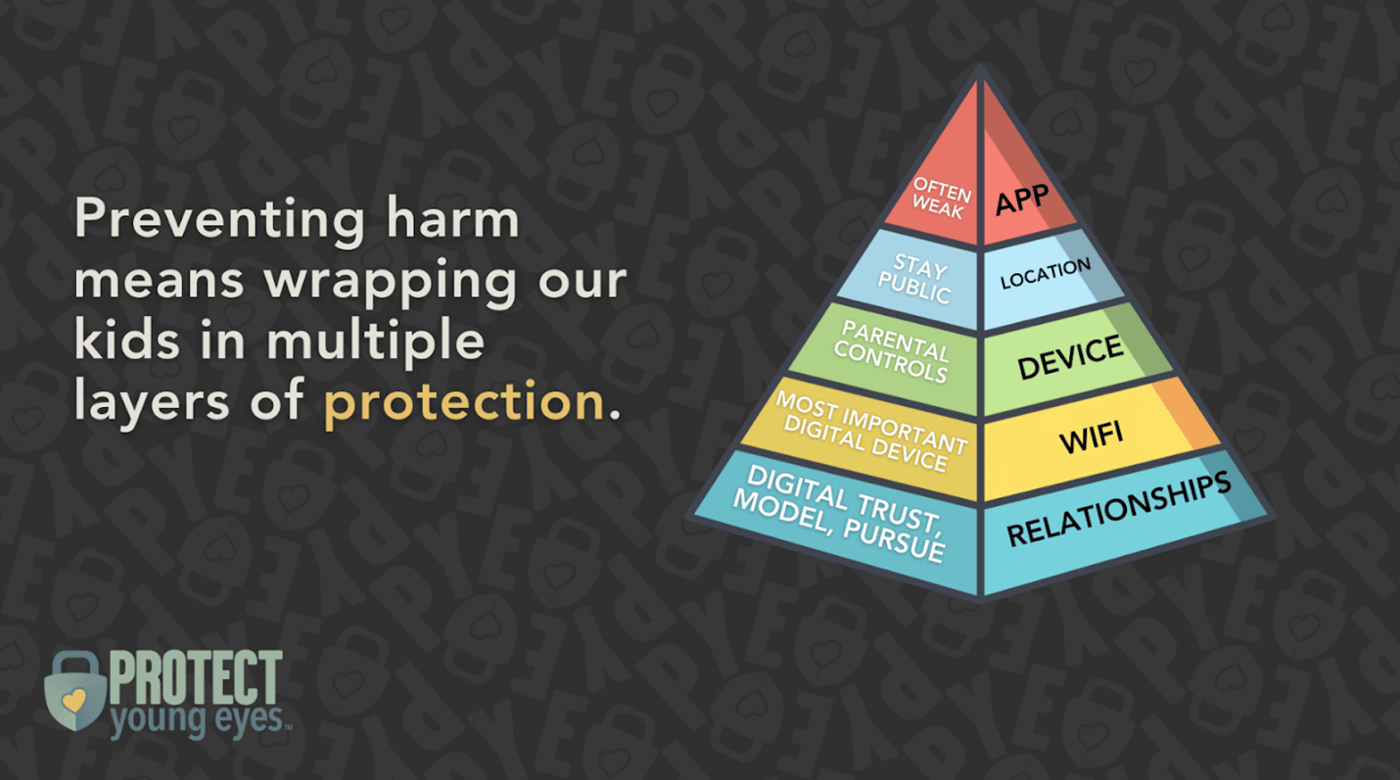
1. Relational (the most important – our connection to our kids)
2. Wi-Fi
3. Devices
4. Location
5. Apps
Picture these five layers as a pyramid, with the bottom layer being the largest and most influential in protecting our children, all the way up to the app layer, which is the smallest and least influential.
This article is the result of a lot of trial and error, research, and frustration over the years. If you read articles on the best parental controls or other tech solutions, you’ll find most are not available in Canada. Yet others seem good but don’t do what we need them to do. We’ll only focus here on solutions available for Canadians.
One thought before we delve into these five layers. I recently interviewed Carey Campbell, psychotherapist and clinical director of H.o.p.e Psychotherapy in Burlington, Ont.
In her experience, the number one thing a parent must do is to take this topic seriously. The stats are clear: more screen time results in greater anxiety and depression, lower IQ, and increased impulsiveness. Task-oriented technology is fine, she explains, but the problem is when it becomes a social lubricant. Doom-scrolling produces the same effect on a young brain as would a shot of vodka.

Evidence shows more screen time results in greater anxiety and depression, says psychotherapist Carey Campbell. (H.o.p.e. Psychotherapy)
Campbell says, “There are two topics I will fight to the death on: tech use and drug use.” And her kids know it. She speaks to them regularly about these topics, explaining the cognitive effects of too much screen time. She may show them diagrams or an article. Then, she balances things out by letting them have as much non-tech independence as possible.
1. Relational
The number one layer of protection – our relationship with our children. Even if you implement all the other layers, they will have no effect without this layer.
Our children will only listen to us if they are attached to us. Campbell gives three conditions necessary for an attachment bond between parent and child: accessibility (they know they can access you, you are available for them), reliability (they can always count on you), and emotional engagement (they know you care, you pay attention to them).
When it comes to tech, our children are influenced by how we use our own devices. It’s best not to be on our phone when we are with them, but if we do need to be, we can tell them what we are doing (“just paying a bill” or “responding to an email”). Campbell puts her phone away as soon as she comes home so she can be present to the kids. This can be hard, so we have to be intentional and pay attention to our children’s reactions.
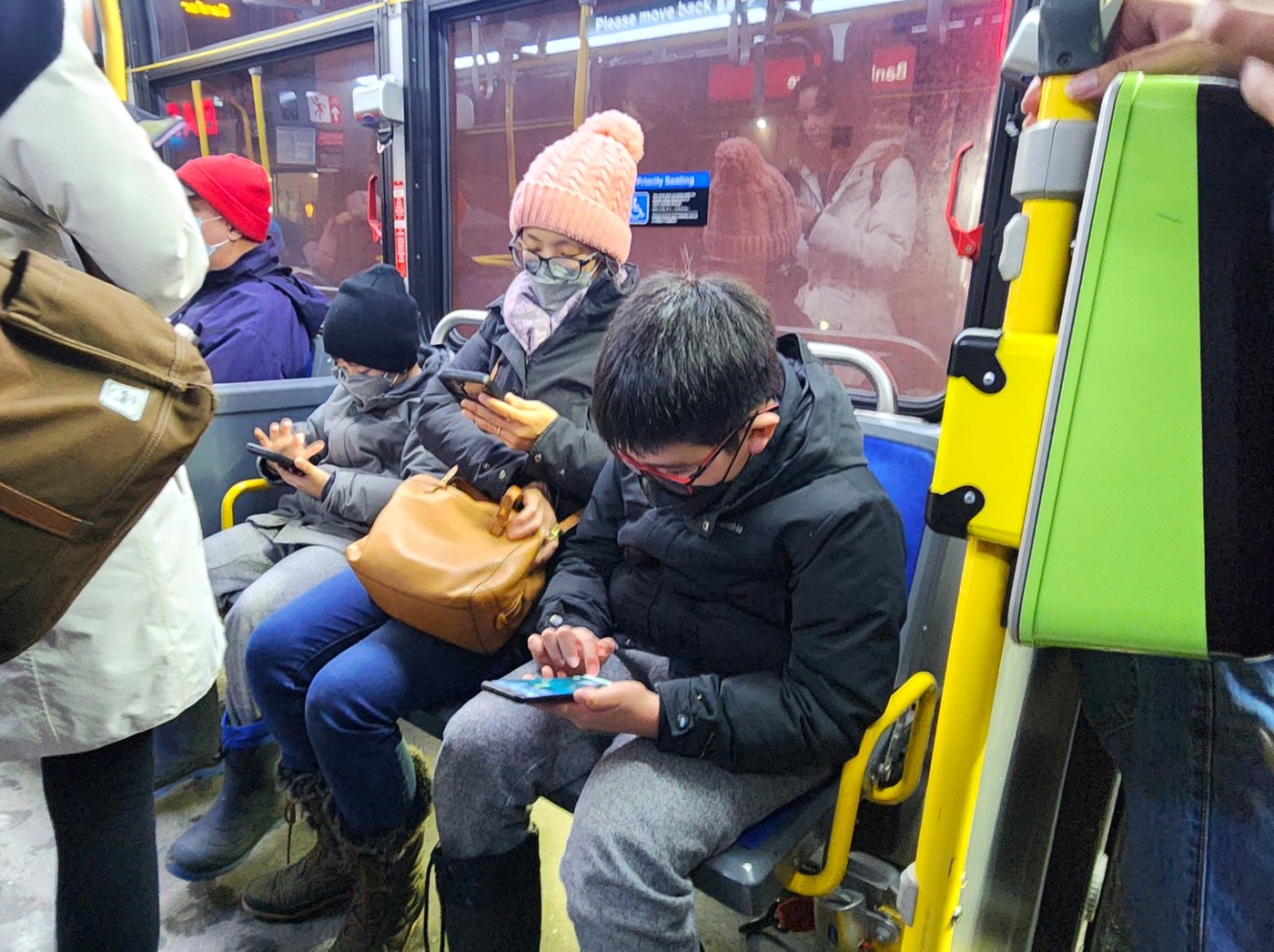
Once in a while, I’ll put on a podcast while working in the kitchen. Sometimes it’s been great and provoked good discussion if the kids are listening along. But occasionally, when the room was loud and everyone seemed busy with their own activities, I put my headphones on. After I did that a few times, my son told me it made him feel bad. Lesson learned!
McKenna urges parents to often do tech together with their children. Sit with them and watch one of their boring videos. Be curious and converse about what they are doing. Put your computer next to theirs and do some work while they are doing their homework. It opens paths of communication. He says, “Where digital trust is high, digital friction is low.”
And the number one thing we can do to build digital trust is to stay calm. This applies to tech and to non-tech situations. Do I explode when something minor goes wrong? Do they know I will love them unconditionally? When it comes to tech, is there constant friction between my child and me? Do we argue about rather than discuss issues like limits?
We need a good relationship so that we can talk about these subjects with the kids. That way, they will trust what we say. Keep the lines of communication open. Look for opportunities to spend time (five minutes even!) regularly.
Once you have this connection, talk to them about sticky subjects like porn and sextortion. “Ten conversations before 10 years of age,” as McKenna puts it. These can be simple. “Have you ever heard the word porn?” “Have you ever seen something that makes you feel funny?” “You can always come talk to me.”
McKenna recommends practising what would happen if they see porn. Tell them you are going upstairs and they are going to pretend to see porn on the computer. Get them to a) put it down and then b) tell someone. Warn them that people can be tricky. If we don’t know them, we don’t talk to them in digital spaces.
We have to teach our children what to do in all situations because, even if certain things are not allowed at our house, they may come across them elsewhere. They need to know the reasons why to say no (the moral and physical implications) and how to say no (again, role-playing is good here).

To sum up, the bond between us and our children is essential. Once we have this bond firmly in place, we then need to be very intentional about talking to them about digital issues: porn, sextortion, and how our brains react to gaming and social media.
2. Wi-Fi
The wireless router is the most important device in the house. The wireless router provides internet access via a Wi-Fi signal from the modem to personal wireless devices. Without a wireless router, you could still use the internet through the modem, but every device would have to be hard-wired.
Amazingly, there are routers that will allow us to protect our families from the bad stuff on the internet. Out of the many he has tested, McKenna recommends the Gryphon AX. It’s the one he uses in his home. They don’t ship to Canada, but you can order through Amazon.
Once you install the Gryphon, you can use an app on your phone to set up a profile for each household member, add their various devices into their profile, and set whatever limits you would like for them specifically. You can block ads, view users’ browsing history, and see who is online (including unknown devices). You can even give a user Wi-Fi priority, which may come in handy for someone working on a big assignment. And you can turn off the internet at any time.
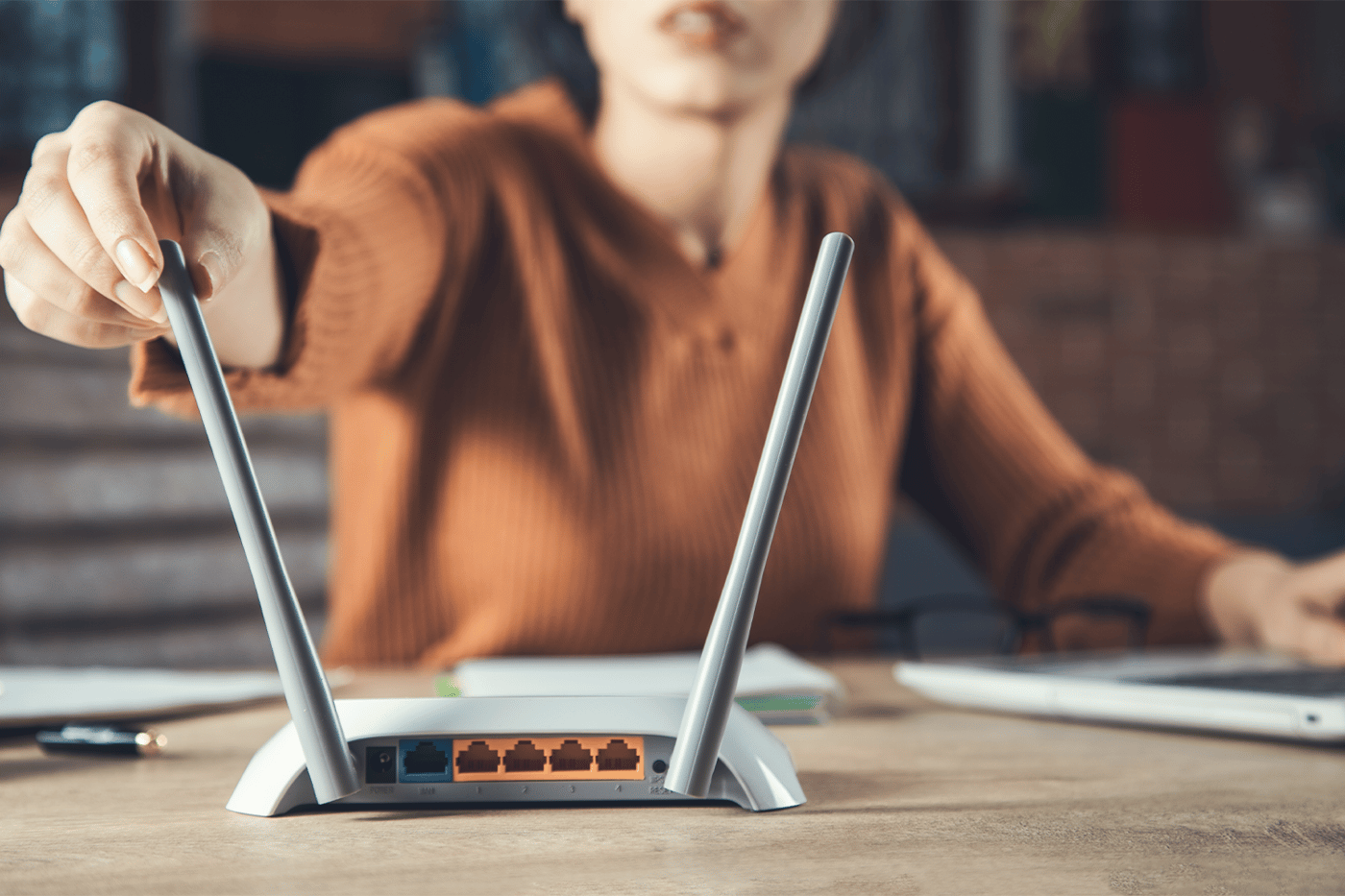
As McKenna states, the router is the lock on the front door to the internet. But use the parental controls gently, he cautions. “We don’t use parental controls so that we can catch our kids doing something bad. We use them to prevent the internet from doing bad things to our kids!”
While Gryphon is rated number one by Protect Young Eyes, some parents also choose to use Circle, which connects to your existing router and has some parental controls. The other option, Bark router monitoring, is not available in Canada.
Some internet service providers offer parental controls for their router. Telus and Shaw (and others) have an app that can see what devices are connected to the internet and can control adult content or even turn off access to Wi-Fi for particular devices. Gryphon can do this, plus view the user’s browsing history, block ads, and more.
3. Devices
The router will protect your kids at home, but there are also ways to protect them when they are not at home. One option is to pay for the Gryphon premium plan, which monitors five smartphones or tablets even when they are away from home. Qustodio is another option for monitoring outside the home.
But, as McKenna says, it’s all about layers. Each device has protections that can be applied to it. Protect Young Eyes details how to protect specific devices.
Or, instead of trying to put protective solutions on a phone designed for adults, you could get them a Pinwheel phone. It may be the only phone of this type available in Canada (Bark and Gabb are not sold here). We love it. It is a Samsung phone (so the kids are not ashamed to take out some prehistoric device in front of their friends), but without access to a browser. Parents control what apps the kids can have through an app on their own phones.
McKenna advocates for parent-led ownership of every device for every child who hasn’t graduated. This means all the digital devices in the house are owned by the parents. Don’t allow devices as gifts, he says, unless it is a gift for the entire family. Knowing it doesn’t fully belong to them is helpful when setting house rules.
4. Location
According to McKenna, the five most dangerous places for phones are bedrooms, bathrooms, sleepovers, buses, and grandma’s house. By “buses,” he refers to school buses, where elementary-age kids might show porn to others. I would add schools to this list, as kids as young as Grade 5 have been known to share porn with others at school.
The bedroom is particularly high-risk. McKenna labels “bedrooms, boredom, and darkness” as the “toxic trio.” However, homework might be an exception depending on the layout of the house. Some parents allow laptops in bedrooms as long as the door is open and the screen is visible.

Most importantly, we should discuss these topics with our children, perhaps in a family meeting, and implement house rules.
5. Apps
When deciding whether to allow your child to use an app, McKenna suggests the “7-day rule”:
1. Download the app.
2. Create a test account using their age and gender.
3. Use it for seven days, checking out the ads and content.
Then, honestly ask yourself: is this where I want my child spending time?
Some apps have built-in controls, although they are generally weak. See this article for an in-depth explanation of popular apps and their controls.
These five layers give parents a concrete starting point for protecting their children and an order of priority. Give the most time to your relationship with your children and explaining important tech issues to them. Next, focus on the router, then the individual devices, and so on.
House Rules About Devices
Carey Campbell recommends a family meeting when rules are first implemented or as they change. Rules evolve as children grow. For example, her five-year-old watches a 20-minute show each evening with his parents, whereas her 12-year-old has a two-hour screen time limit with no gaming on weeknights.

The question of when to get a phone is common. Based on advice from experts like Protect Young Eyes, Dr. Leonard Sax, Jonathan Haidt, and Dr. Ray Guarendi, here’s what we do in our house:
• The kids can have a Pinwheel phone in the spring of Grade 9.
• Social media is allowed at age 16, based on good behaviour with the devices they already have access to.
A good family media plan should lay out the following:
• When tech can be used: weekdays, weekends, during meals, or when guests are over.
• Who needs to be around: parents, siblings, or others.
• Where tech can be used: car, bedrooms, bathrooms, or a friend’s house.
• When they need permission: for certain devices, games, shows, or downloading apps.
• How long tech can be used: 30 minutes, two hours, or an extra hour for TV.
To save effort, Protect Young Eyes offers a Digital Trust Playbook with house rules for device use. It’s the best one I’ve come across.
If your kids currently have no rules or the rules need a reset, Campbell suggests these four steps:
1. Give a good reason why (explanation).
2. Acknowledge that this will be hard for everyone.
3. Allow the kids some input into what the rules will be.
4. Implement them firmly.
Additionally, parents should discuss among themselves:
1. What implementation looks like. Will you check the phone daily and scroll through history? Will you look at the parental control app weekly?
2. Consequences for breaking rules. In Campbell’s house, the child’s device is confiscated for a period of time. She tells them, “You proved to me you couldn’t handle this, so you lose the internet.”
In the end, each family must find what works for them. The point, as Campbell says, is to convince ourselves this is extremely important for our kids’ mental health.
Just starting the conversation in the house, she says, is a win.
Your voice matters! Join the conversation by submitting a Letter to the Editor here.